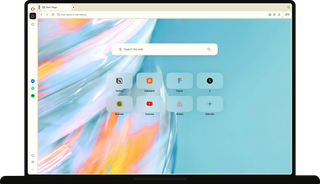
Make it happen with Opera
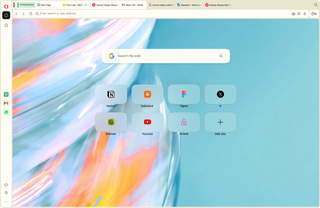
Keep momentum, make progress
Get to the doing part
Tab Islands automatically group your tabs by what you’re doing, and one-click tools keep everything else out of your way so you spend less time organizing.
Stay locked in
Opera One blocks ads and trackers, and keeps pages loading clean and fast so nothing breaks your concentration while you work.

Change between contexts
Sidebar and Workspaces keep each part of your life separate. Move between a focused work session, a team conversation, and a completely different project without ever losing your place.
Every beginning looks a little different
When an idea hits and you’re starting from scratch
Strike while it’s hot. Tabs automatically group together, your tools live in the sidebar, and the Ad Blocker keeps pages clean, so nothing gets in the way.
When you sit down to dig into something
You want to go deep on research, so you need the right setup from the start. Split Screen lets you compare sources side by side, and Opera AI can pull out the key points from the page when you turn on Page Context.
When you need to shut everything else out
Your Theme’s set the way you like it, your music’s already playing from the sidebar Music Player, and the page in front of you is clean. Nothing between you and the work.

When you’re just following your curiosity
Some beginnings don't have a destination, just something worth a look. Free VPN keeps that exploring private, and Lucid Mode and Volume Booster make sure whatever you land on looks and sounds its best.

When you're picking up where you left off
Open Opera and dive back in. Session restore brings your tabs back automatically and cross-device sync keeps your browsing with you, so nothing you started gets lost along the way.
Ready when you are
However many tabs you open, Opera One keeps them organized.
Group them, separate them, switch between them, and compare them side by side, without ever losing track.

Workspaces
Workspaces carve out a dedicated space for every new pursuit, keeping each part of your life separate and thriving.

Tab Emojis & Traces
Tab Emojis let you mark your most important tabs so they're easy to spot, and Tab Traces keeps your most recently visited ones close by, so you can always find your way back.

Tab Islands
In Tab Islands, your tabs are automatically grouped by context.

Split Screen and Vertical Tabs
Vertical Tabs move your tabs to the side so you can see full titles, and Split Screen lets you compare up to four of them at once.
Nothing gets in the way of what you came to do.
Ads and trackers are blocked before they load and Free VPN keeps your connection protected, so pages open clean and fast, up to 90% faster.

Ad Blocker
Opera One’s free, built-in Ad Blocker blocks ads before they load, clearing your path from distractions.

Free VPN
Free VPN is already built in, so wherever inspiration takes you, your connection's protected.

Video Skip
Video Skip jumps straight to the content you care about. Just hover over any video and tap the button to skip what you don't want to see.
Reach for the tools you need in the Sidebar
Now you don't have to leave the page, open new or extra tabs, or even reach for your phone

Google services
Gmail, Calendar, and Google Translate are already built into the sidebar, so you never miss an important email or meeting while you're deep in your work.

Music Player
Music Player puts Spotify, Apple Music, YouTube Music, and more right in your sidebar. Hit play, and control your tracks as you work.

AI tools
Opera AI, ChatGPT, and Gemini are one click away, so whenever you have a or you need to check a data point, you're not opening another tab or losing your train of thought.

Integrated Messengers
WhatsApp, Slack, Discord, and other messengers and social apps are built into the sidebar, so every conversation and community opens alongside what you're doing.
Pick up on one device exactly where you left off on another
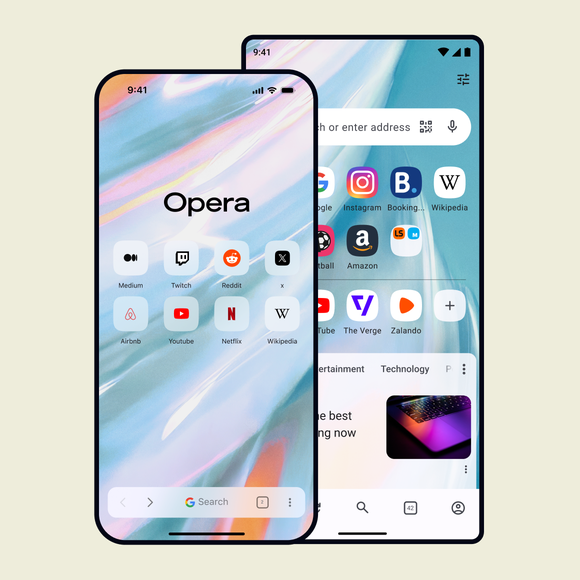
What’s open on your laptop is waiting on your phone, and back again, without breaking your flow.

Sync
Opera Sync shares your open tabs, browsing history, bookmarks, and favorites across your laptop and phone, so you can switch between devices without losing momentum.

Flow
Opera Flow lets you securely share files, links, and notes between your computer and phone, no account needed, so you never lose the idea that hit you on the go.
Take Opera to go
 Don't have Google Play?
Download the app here This is a safe download
from opera.com

Turn a beginning into something
Ready for something new?