Flow
Benefits of Flow file sharing
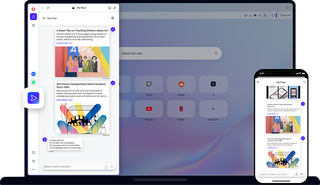
The Flow feature in Opera is a simple and secure way to connect your phones, tablets & computers, to share files and more between them.

Share files smoothly between your computer and phone
Flow file sharing connects your Opera browser for mobile and desktop
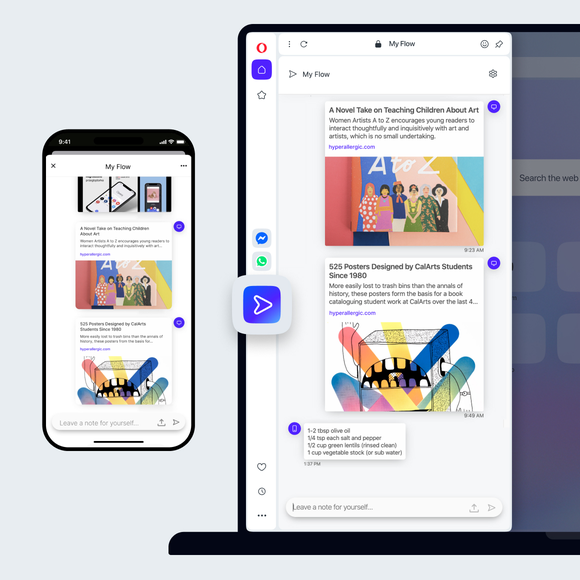
Ever send emails or messages to yourself to remember something you found online? There’s an easier way. With Flow, you can share files, links, images, videos and notes using the Opera browser on all your devices. It’s a seamless connection between your phone and your personal computer.
Set up Flow file sharing - connect phone to computer
To use the Flow feature and share files, you just need the Opera browser for mobile and desktop. No account, login or password protection required. In your desktop browser:
- Go to the Easy Setup menu (top-right) and make sure Flow is enabled.
- Click the My Flow icon in your sidebar, and Reveal the QR code.
- Scan the code with the Opera browser on your phone.
- Voila! You're ready to start sharing files and more.
Flow file sharing
The Flow file sharing feature in the Opera browser is a simple and easy way to connect devices and share information. With one click you can send a webpage, image, video or note, and even share files and documents with Flow - the encrypted and shared space between Opera on different devices.
You can instantly access your shared file or information on any device you connect. It's quicker than using google drive, and you don't have to use up your cloud storage space or send yourself links via email. Plus, it's free file sharing, so you don't have to pay for other file sharing services.
Sending content with Flow
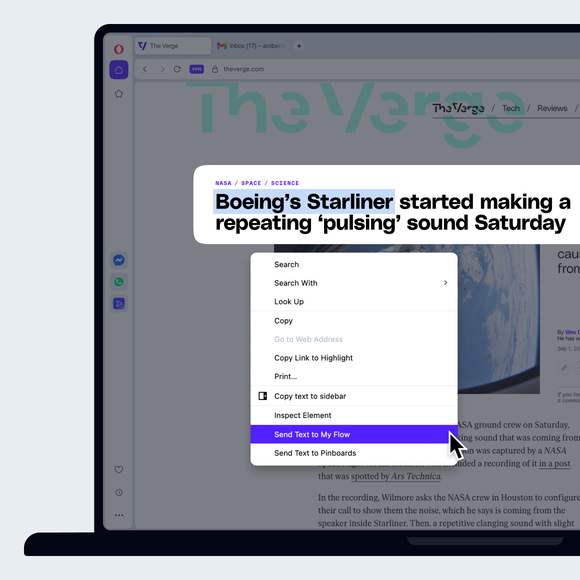
Sharing content and file sharing is incredibly easy with Flow. Send a webpage link to your phone by simply tapping the Flow icon to the right of your address bar. You can also highlight text on a page and click the popup Send to My Flow option.
Want to send yourself a reminder? Open Flow with the icon on your sidebar and use the text field at the bottom to send notes to yourself. There, you can also click the Upload Files icon to send files, photos, or documents. You can also simply drag and drop a single file into Flow for easy file sharing, as well as share multiple files.
Receiving content with My Flow
Receiving shared files, images, notes and other content is fast. When you send it, a notification badge will appear on your connected devices. Shared files and other content is shown in Flow along with information on the device it was sent from and a timestamp of its arrival.
Interact with shared content directly in Flow - play videos there, preview photos, or open file transfers in a new tab. Also, you can easily copy a shared file or content to your clipboard and use it wherever you want. Shared links and other file sharing content is automatically deleted after 24 hours and you can clear your online file storage at any time.
You deserve a better browser