Free browser AI
Start with an idea. Take it further with browser AI.
AI at hand
You’re in focus mode and a question comes up. Since they’re built in, you can open Opera AI, ChatGPT or Gemini in one click. Ask AI without opening another tab or losing your train of thought.

Minimal prompts
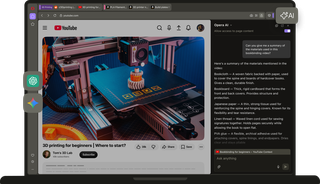
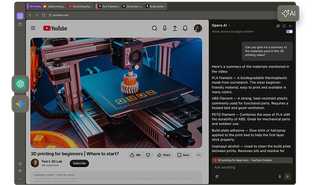
Skip the long explanations. Opera’s agentic AI understands your current page or tab group, so you get smart contextual answers without repeatedly prompting or typing out all the details.

Free accountless AI
Just ask and get answers, comparisons, or content generation, with full support from the start. Opera AI is completely free, with no login or signup needed, to help you move forward faster.
Choose your models
Your projects deserve the right tool, and your Opera browser has the best AIs for different needs built right in.
Opera AI
Opera AI is easy to use. There’s no login or sign-up needed, and it combines OpenAI and Google models for better results.
It can understand the tab you’re using, or even groups of tabs, so you don’t have to type in every detail for contextual answers.
ChatGPT
ChatGPT is built right into Opera’s sidebar, so you can use the AI you already know without opening a new tab.
It’s great for getting quick answers without switching apps, and for testing the latest ChatGPT features right where you’re browsing.
Google Gemini
Google’s AI assistant, Gemini, is one of the world’s most popular AI models and is now integrated into Opera’s sidebar.
It’s built for tasks that require deep reasoning, and it interprets images, code, and videos as easily as text.
Skip the extra steps
Inspiration can happen without warning, and you want to get started right away.
Opera AI requires no sign-up, and gives free access immediately. It can also understand the pages you’re on, so you don’t waste time on long prompts.
And with ChatGPT and Gemini in your Opera sidebar, you have one-click access to your familiar AIs without downloading an app or opening a new tab.

Take ideas further
Creativity thrives on feedback, mockups, and exploring new angles.
To take your idea further, create a visual moodboard with Opera AI’s free AI image generation. Upload photos or even back-of-the-napkin sketches for helpful suggestions.
Opera AI lets you get a fresh perspective on creative projects without showing others your idea too soon.

Dig deeper for information
Information is power, and Opera’s AI saves you from reading it all yourself. Quickly summarize documents or webpages, and break down complex content without leaving the page you’re on.
With ChatGPT and Gemini integrated into Opera’s sidebar, you get advanced analysis, reasoning, and content understanding. Just like Opera AI, these tools can solve math problems and convert plain text into formatted equations, ideal for academic and scientific work.

Explore new possibilities
Unique ideas can only come from you. By exploring with AI, you can focus on the creative process without spending all your time on the routine aspects.
Use Opera AI, ChatGPT, and Gemini to refine ideas, write and rewrite text, create images, summarize or improve content, and turn your thoughts into presentations, posts, stories.


Opera AI, ChatGPT, and Gemini in your browser
How to use AI in Opera?
To get started, simply download Opera for desktop. Opera AI is already built into the Opera browser and doesn’t require any account. Just install Opera and you’re good to go.
Just click the Ask AI button in the top-right of your Opera browser. Opera AI works in context with your open page, and stays visible as you browse so you can use it alongside other browser tools.
Yes, you can open Opera AI using the shortcut Ctrl+O (Windows) or Cmd+O (macOS).
To add ChatGPT to your Opera sidebar, click the three dots at the bottom of the sidebar and enable ChatGPT from the menu.
To add Gemini, click the three dots at the bottom of your Opera browser’s sidebar and select Gemini from the menu.
Hover your cursor over the edge of the sidebar until it turns into a resize icon (a two-sided arrow), then click and drag to adjust the panel width to your preference. By doing this with Opera AI, ChatGPT, or Gemini, you can work with AI and your current tab at the same time.


Ready to start something new?