Video Popout

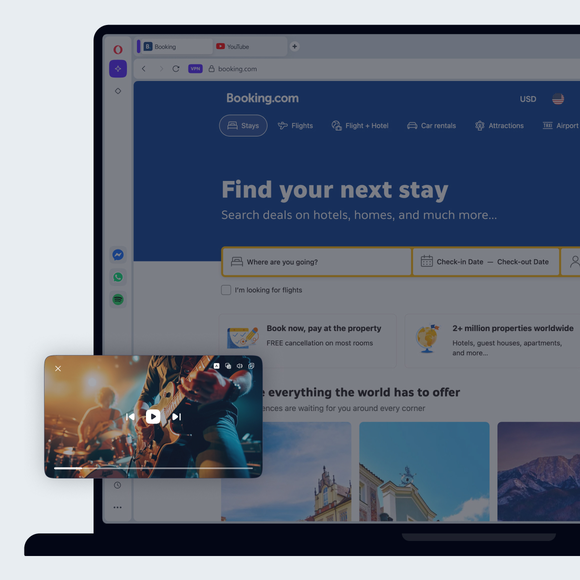
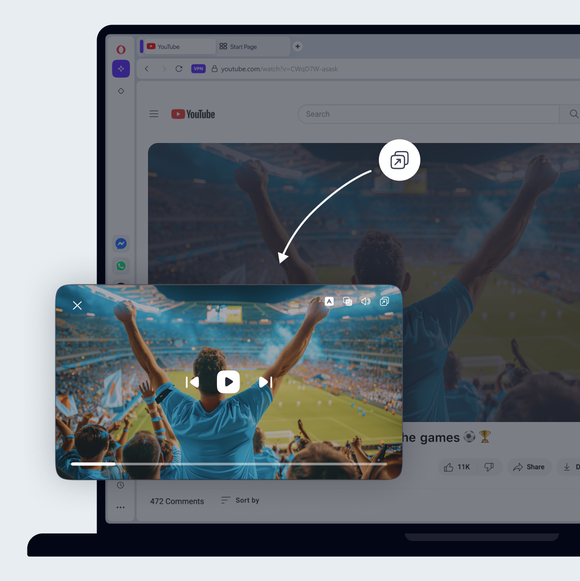
Detach online videos into their own adjustable, movable, floating window. YouTube, Netflix, Twitch, football streaming sites - almost any video provider. See more
Video Popout Video Popout

Benefits of Video Popout

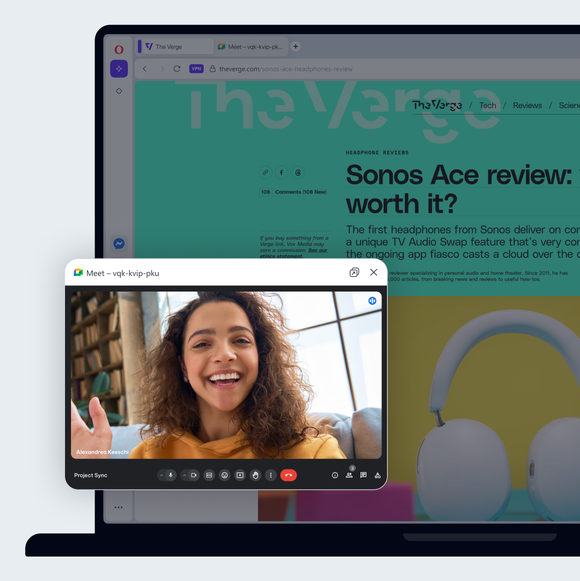
Video Popout lets you watch online videos on top of other windows so you can continue browsing or working at the same time.
Always on top

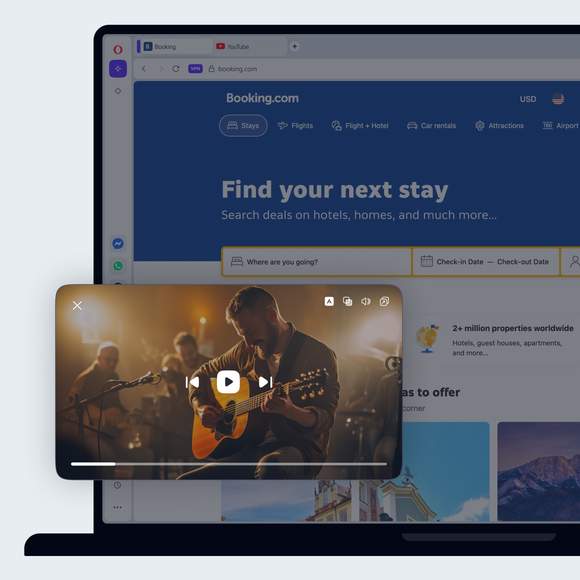
The floating video window stays in the foreground, visible over whichever apps or windows you have open.

Adjustable

You can move it wherever you want, as well as adjust the size so that it’s always visible, but never in the way.

Simple

Pop out a video in one click. The button appears in the top-center when you mouse over an online video.

Controllable

The most useful controls are in the popped out video, so you can control your video easily while multitasking.

01
Search the web and watch videos at the same time Search the web and watch videos at the same time

Search the web and watch videos at the same time

Opera AI

Chat and create for free with built-in Opera AI.

Ad Blocker

Browse with less distractions and load websites faster.

Google Services

Your inbox and calendar always on hand.

Free VPN

Browse comfortably with enhanced privacy and security, for free.

Music Player

A world of music and podcasts at your fingertips.

Easy Files

Upload files without searching.

AI Image Generator

Create stunning AI images from text prompts for free.

Browser AI

Expand your capabilities with built-in Opera AI and ChatGPT.

Split Screen

Split your screen across multiple tabs.

Snapshot

Easily capture, edit and share your snapshots from webpages.

Tab Islands

Save space, keep organized, and switch contexts easily with Tab Islands.

Tab Emojis

Personalize your tabs and express yourself with Tab Emojis.

Workspaces

Organize tab groups in separate customizable workspaces.

Search in Tabs

Work and browse more efficiently with many open tabs.

VPN Pro

Browse privately anywhere with VPN Pro.

Spotify

Unlock Spotify in Opera.

Opera Translate

Translate websites in one click.

Integrated messengers

Chat with friends right in your browser without switching apps.

Slack in Opera

Stay focused and organized with Slack in Opera’s sidebar.

Discord in Opera

Stay connected with your Discord communities in Opera’s sidebar.

Bluesky in Opera

Stay connected with Bluesky in Opera’s sidebar.

WhatsApp

Chat in WhatsApp on desktop in your Opera browser.

Facebook Messenger

Use Messenger on desktop in Opera.

Telegram Messenger

Chat in Telegram on desktop in the Opera browser.

VK Messenger

Chat in VK on desktop while browsing the web.

Integrated Social Media

Instant access to X, Bluesky and Instagram.

Instagram

Use Instagram in Opera’s sidebar while you browse.

X

Explore and tweet conveniently with a better view on desktop.

Opera Sync

Synchronize the Opera browsers on any of your devices.

Opera Bookmarks

Easily manage, customize and keep your favorite places online.

Lucid Mode

Enhance online videos and images in one click.

Unit Converter

Automatically convert time-zones, currencies and units of measurement.

Personal News

A customizable and convenient newsfeed on your start page.

Battery Saver

An easy way to noticeably extend your laptop’s battery life.

Flow

Instantly send files, links and notes between your devices.

Pinboards

Save and collect web content easily, share it visually.

Opera Cashback

Automatically get money back when shopping in Opera Browser.

Opera Themes

Completely transform the look, sound and feel of your browser.
01

A useful feature

Opera’s Video Popout is a picture-in-picture style feature that lets you detach a video from its webpage and move it anywhere on your screen. It’s so handy, you’ll wonder how you ever managed without it.

Not every video requires your full attention. With Video Popout, you can watch a video while browsing comments, searching for other content, or multitasking. Watch a game walkthrough while reading forums, or play music in your popout window while surfing the web. The video stays on top of other windows and maintains the same quality as the original.

If you multitask often, Video Popout is a must-have feature for convenience, productivity, and uninterrupted viewing.

Stay in control

All player controls are conveniently located at the bottom of the popout window, keeping you in charge without ever leaving your current task.

Easy to use

With Opera, start a YouTube video or any supported online video, and a new button will appear at the top center. Click it to open the video in a smaller popout window.

You can resize this floating window and place it anywhere on your screen. It stays on top of other windows, so your video remains visible while you work. The popout window has its own controls, letting you pause, close it with one click, or return it to the original tab.

You deserve a better browser

Opera's free VPN, Ad Blocker, and Flow file sharing. Just a few of the must-have features built into Opera for faster, smoother and distraction-free browsing designed to improve your online experience.
You deserve a better browser You deserve a better browser