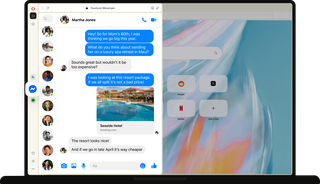
Messenger on desktop
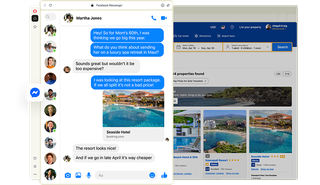
Your chats, right where you need them
Always within reach
See something you want to share? Open Messenger in Opera’s sidebar and send it over. A place you want to visit, a Facebook Marketplace listing, or just something that makes you think of a friend.

From mobile to desktop
Start on your phone and continue on desktop. When you log into Messenger in your Opera browser, your chats and messages are right there, so you can pick up where you left off on any device.

Notifications on your terms
Know when someone replies while you keep browsing. Messenger notifications in Opera let you see or hear when a message comes in, and you can turn them off whenever you want some quiet.

Get the conversation going
Coordinate Friday night, share that game everyone needs to check out, or round up the family.
Every memorable plan starts with someone making the first move. Drop it in the chat and see who’s in. Log into Messenger right from Opera’s sidebar without downloading the app, and get talking.

Don’t miss a message
Catch every reply right as it happens.
From plan confirmations to Marketplace updates, desktop notifications let you stay responsive without repeatedly reaching for your phone. When you want to focus, just hit mute.

Reach out on desktop
Need a second opinion, some advice, or a little help?
Contact a friend, your family, or a group that knows the subject. With Messenger in your sidebar, you don’t have to leave what you’re doing, plus you can easily share screenshots and type on your full keyboard.


Stay connected with Messenger on desktop
Ready to start something new?