AI Image Generator

Transform text into images instantly with Opera’s free AI image generation. No account required, just type and create. See more
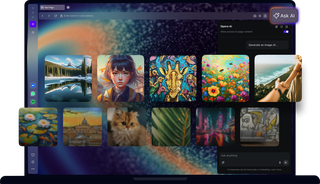
Browser window displaying AI Image Generator gallery with multiple artworks.

Select a prompt to generate an image

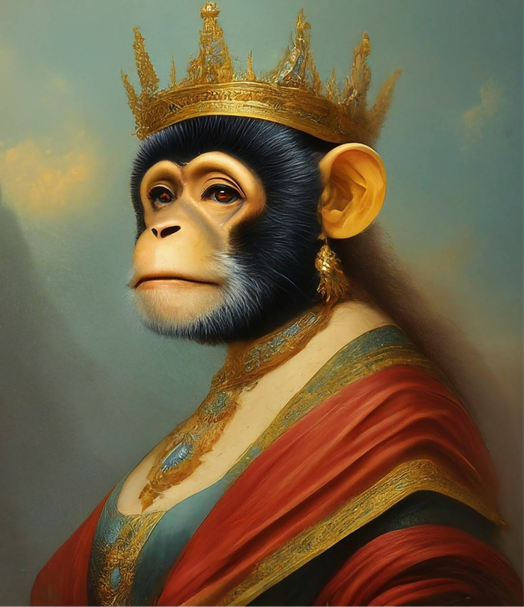
Create an oil painting of a monkey queen
Oil painting of a monkey queen
Robot DJ at a party
Cute cat cooking meals
Album cover for an indie band
Giraffe in a ballet skirt
Sheep and a wolf knitting
Pirate squirrel on a deserted island

Generate free AI images

Download now

Free AI Image Generator in Opera AI

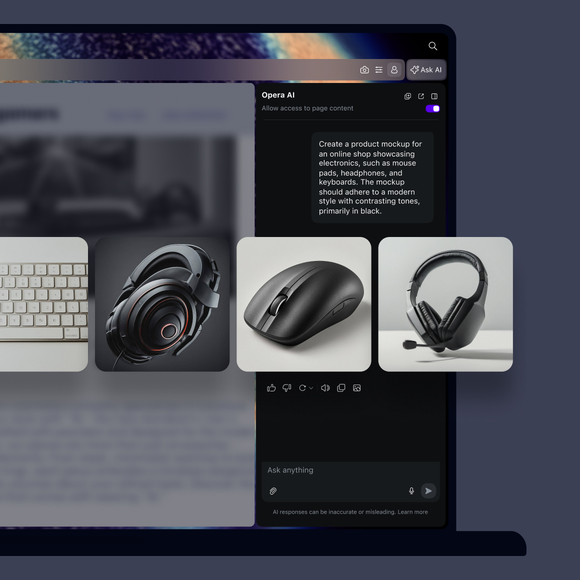
Create unique AI generated art, logos, wallpapers, memes, tattoos, or images for social media. Whatever you need.
Free

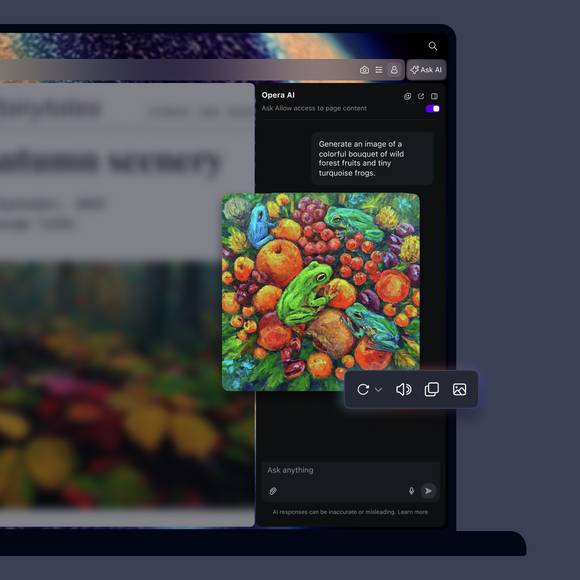
Generate AI images for free, instantly. No account or login is needed.

Safe

Opera AI protects your privacy and doesn't generate harmful content.

Easy

Simply describe your idea to Opera AI, and see your image generated.

Fast

Just click Ask AI to open Opera’s AI and start creating instantly.

01
Generate AI images for free in Opera

Generate AI images for free in Opera

Tab Islands

Group related tabs to save space and switch contexts easily.

Ad Blocker

Block ads and browse the web with fewer interruptions.

Free VPN

Browse with added privacy using Opera’s built-in VPN.

Opera AI

Chat, create, and analyze tab content with built-in AI assistant.

Workspaces

Organize tabs into separate spaces for different tasks.

Integrated messengers

Chat on WhatsApp, Messenger, and more from Opera’s sidebar.

Split Screen

View multiple pages side by side to multitask and compare.

Vertical Tabs

See page titles clearly and find the tabs you need.

Search in Tabs

Search your open tabs by keyword to find the one you need.

Tab Emojis

Personalize your tabs with emojis for easy recognition.

Easy Files

Upload recently downloaded files without searching.

Browser AI

Support your work with built-in Opera AI, ChatGPT, and Gemini.

Integrated Social Media

Get instant access to X, TikTok, Bluesky, Twitch, and Instagram.

Translate in Opera

Translate entire pages or selected text with one click or automatically.

Google Services

Keep Gemini, Gmail, Calendar and Google Translate close at hand.

WhatsApp

Bring WhatsApp to your computer.

Slack in Opera

Stay on top of team conversations without leaving your workspace.

Messenger

Stay in touch with friends without interrupting what you’re doing.

Discord in Opera

Stay connected with your Discord communities in Opera’s sidebar.

Telegram Messenger

Chat in Telegram on desktop in the Opera browser.

Instagram

Check DMs, catch up on stories, and watch reels in the sidebar.

X

Follow breaking conversations and trending tweets faster.

Bluesky in Opera

Discover new voices and communities right from your sidebar.

TikTok in Opera

Watch your feed and upload videos without opening another tab.

Music Player

Access your favorite music and podcasts from Opera’s sidebar.

Spotify

Access Spotify playlists and control playback as you browse.

Deezer

Stream your favorite Deezer tracks without interrupting your browsing.

YouTube

Enjoy your favorite YouTube videos right from Opera’s sidebar.

Video Popout

Watch videos in a floating window while you browse other tabs.

Lucid Mode

Enhance online videos and images in one click.

Volume Booster

Increase your browser volume by up to 500% natively.

Opera VPNs

Browse with an extra layer of privacy using Opera’s built-in VPN.

Personal News

A customizable and convenient newsfeed on your start page.

Opera Themes

Completely transform the look, sound and feel of your browser.

Battery Saver

Browse longer on your laptop with less battery drain.

VPN Pro

Get enhanced privacy for your entire device with 48 VPN locations.

Unit Converter

Convert currencies, time zones, and measurements in one click.

Opera Cashback

Automatically get money back when shopping in Opera.

Snapshot

Capture, edit and share snapshots of webpages.

Opera Bookmarks

Save your favorite websites for quick and easy access.

Opera Sync

Sync your open tabs, bookmarks, history, and more across devices.

Flow

Send files, links, and notes between your devices instantly.

Pinboards

Collect visual web content and share your favorite finds.
01

What is Opera AI?

Opera AI is a smart AI assistant based on OpenAI and Google technology, integrated directly into the Opera browser. It helps with a wide range of tasks, including finding information, generating text and images, summarizing web pages, providing speech assistance, and describing pictures. Learn more about Opera’s AI.

Do I need to sign in to use Opera AI?

No, you don’t need to sign in to use Opera AI - it’s available right away, no account required. Just make sure your browser is updated to the latest version, and you can access Opera’s AI from the Ask AI button in the top-right of your Opera browser. You’ll only need to accept the Terms of Service the first time you use it.

Image generation is limited to five images per day for all users.
If you sign in with an Opera Account, your limit increases to 100 images per day, and you’ll also gain access to your previous chats.

What can I do with Opera’s AI image generation capabilities?

Using AI image generator skills in Opera, you can:Create AI images from text

  • Create AI images from text
  • Regenerate a new image to the same prompt
  • Easily copy and save your images
  • Add images to your Pinboards
  • Share images using Opera’s Flow feature

How do I generate the AI image I want?

Opera AI uses the Imagen2 model from Google to create AI images based on your textual prompts, so all you need to do is describe what you want to generate. 

If you have a specific idea for an AI image, try to provide lots of details and avoid being vague. You can include composition, positioning, style and references, for more exact results.

How does AI image understanding work?

Opera AI uses multimodal LLMs to recognize and understand images. It examines visual details, like shapes and colors, to identify objects and patterns. This allows users to understand what's in the image, whether it's for finding relevant information, suggesting related content, or generating ideas based on the image you provide.

  • Image recognition: Upload an image and ask Opera AI to analyze it, as well as identify objects and other details within the picture.
  • Text interpretation: If there’s text in the image, Opera AI reads and interprets it, helping you understand what’s written.
  • Contextual answers: You can ask specific questions about the image, and Opera AI will provide relevant information based on its analysis.

Is Opera AI free?

Yes, Opera’s browser AI and all of its features, including image generation and recognition, are available for free.

Is my generated image unique?

Yes, each image generated by Opera AI is unique, based on the prompt you used to generate it.

Is Opera AI safe to use?

Opera AI is designed with user safety and privacy in mind. It doesn't access any information outside of your chat, but it's best to avoid sharing sensitive personal details. Always be cautious and review the output, as it may exhibit inaccuracies. For more information on data handling, refer to Opera's Privacy Statement. Read about Opera’s Terms of Service to understand your rights and our commitments, ensuring a secure browsing experience.

Text prompt input and images (uploaded or generated through Imagen on Vertex AI) are assessed against a list of safety filters. These safety filters aim to filter out generated or uploaded content that violates our Acceptable Use Policy (AUP), Generative AI Prohibited Use Policy, or our AI Principles, such as violent, sexual, derogatory, or harmful content.

For more details, refer to Imagen Usage Guidelines

Can I use these images for personal and commercial purposes?

Yes, you can use the generated images for both personal and commercial purposes.

You deserve a better browser

Opera's free VPN, Ad Blocker, and Flow file sharing. Just a few of the must-have features built into Opera for faster, smoother and distraction-free browsing designed to improve your online experience.
You deserve a better browser