Deezer in GX

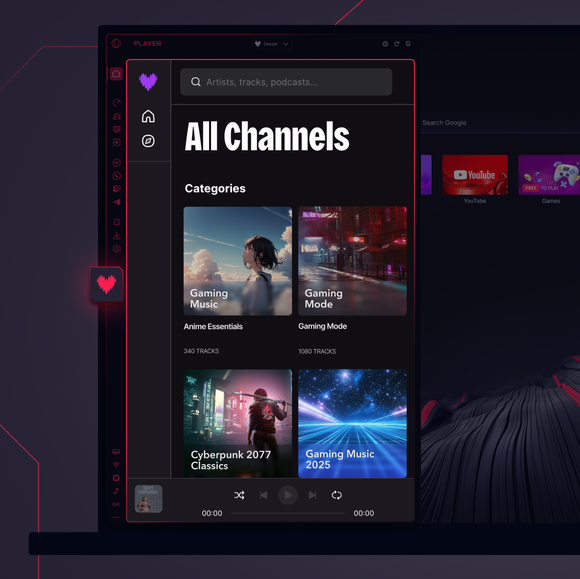
Ready to stream like a boss? Deezer meets Opera GX, bringing your music to life with no distractions and all the vibes. See more
Deezer in GX Deezer in GX

Deezer in Opera GX

Turn up the volume, take control, and own your sound while browsing and gaming like never before.

Deezer music, no delays

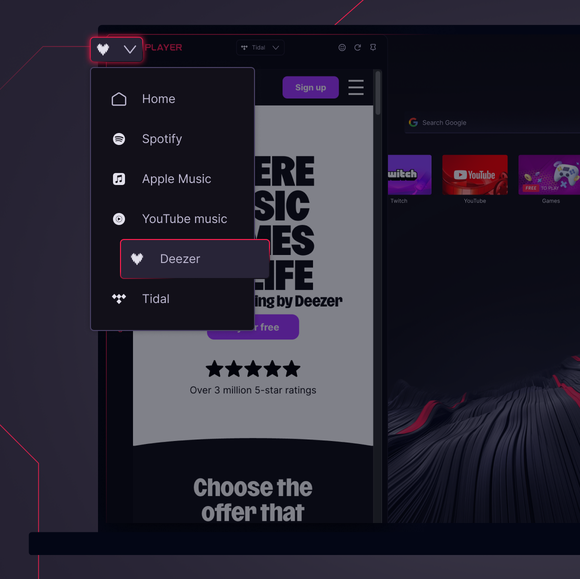
Deezer in GX’s Music Player keeps things simple. Log in and stream, no apps or tabs needed.

Gaming meets grooving

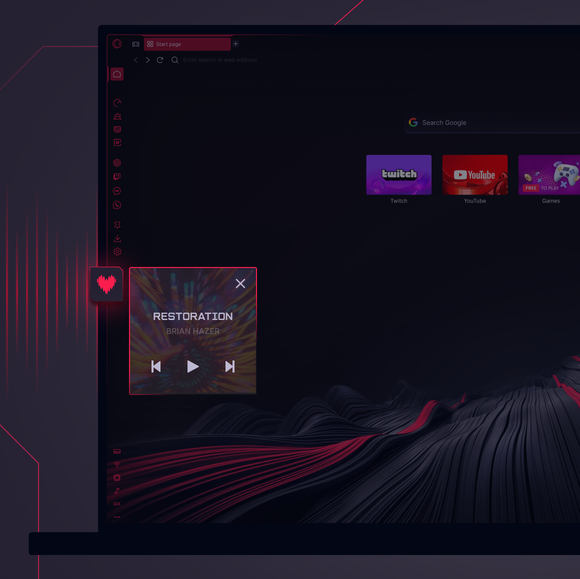
Switch Deezer tracks in seconds with seamless popup controls. Just hover on Music Player.

In sync with the rhythm

Deezer’s Flow feature knows what you love and keeps the bangers coming.

Brilliance, built right in

With Deezer integrated smoothly into Opera GX, your favorite tunes are always a click away.

01 03
Pure music on your terms. Pure music on your terms.

Pure music on your terms.

GX Control

Boost frames, not fan speed, with CPU and RAM limiters.

GX Mods

Completely customize your GX browser.

Integrated Twitch

Stream on. Twitch lives right in Opera GX.

Integrated Discord

Stay connected to your squad at all times.

Ad Blocker

Your time is epic. Get to the stuff that matters, quicker.

YouTube Music

Soundtrack for whatever’s on your screen.

Music Player

All your favorite music and podcasts in one place.

Apple Music

Listen to your favorite tracks while you browse.

Spotify

Fuel your browsing with your favorite tunes.

Tidal

Find your sound. Get inspired with Tidal.

Keyboard sounds

Custom keyboard sounds on each tap.

GX Corner

Games, releases, news and deals in your corner.

Bluesky

Bluesky in your Opera GX browser.

Slack

Less switching. More doing. Slack in GX now.

Messenger

DMs stay open while you focus on more.

Telegram

Slide into DMs without leaving the game.

Browser Profiles

Profiles of each of your personalities.

X in browser

Tweet mid-match, no tab-switch needed.

Messengers

Game on, chat on! Talk without tabbing out.

Video Popout

Watch in a floating video window while you browse.

Bookmarks

Your favorite spots, remembered and ready.

WhatsApp

Keep the conversation going while you browse.

Instagram

Scroll reels and posts without missing a beat.

VKontakte

Chat on VK while you game, browse, or stream.

TikTok

Binge Tiktoks while you play, edit, or browse.

Pinboards

Pin it, plot it, post it. Grab and stash your gems.

Game Deal Aggregator

Get top game discounts fast, right where you play.

Release Calendar

Never miss out on new game drops.

Split Screen

Double the view, half the mess in GX.

Tabs

Group and control your tabs with zero tabxiety.

Free VPN for Mac

Browse privately on Mac devices with GX.

Free VPN for Windows

Browse privately on Windows with Free VPN.

Browser Games

Turn your browser into your playground.

Game Trailers

See upcoming games, straight from the source.

Custom Cursors

Make every click unmistakably yours.

Opera Translate

Read any site in your language.

Tab Islands

Tab overload? Dominate it with Tab Islands.

Tab Emojis

Add some personal flair to your tabs.

Personal News

Get important news right in your sidebar.

GX Network Limiter

Control your GX browser’s bandwidth.

Live Wallpapers

Ditch the dull. Inject some life into your desktop.

Shaders

Apply visual filters across all websites.

Background Music

Silence is boring. Dynamic music adapts to you.

Force Dark Pages

Dim the lights, turn up the style.

Fake My History

Replace your guilty pleasures with wholesomeness.

RGX Mode

Free your eyes from mediocrity with HD visuals.

Panic Button

F12 to purge. Keep your secrets in one click.

Battery Saver

You’ve got the power. Opera GX extends your battery life.

Workspaces

Tab groups. Switch between different contexts in a jiffy.

Flow

Share files, links, and thoughts across all devices.

GX Cleaner

Exchange your browser’s rubbish for speed.

Free VPN

Privacy without compromise, no strings attached.
01 03

Can I use Deezer in my browser?

Absolutely! Opera GX has Deezer built into its Music Player, right in the browser sidebar, so you can stream your Deezer tracks, playlists, and albums without extra apps or tabs.

How do I open Deezer in my browser’s sidebar?

Click Music Player in Opera GX’s sidebar and select Deezer. Just log into your Deezer account to access all your content.

Is using Deezer in Opera GX free?

Deezer offers both free and premium plans, and Opera GX doesn’t charge you anything extra. Simply log into your Deezer account in GX’s Music Player, and you’re all set to stream music, no matter your plan.

Can I use Deezer across different devices?

Yes! Deezer syncs seamlessly across devices. Whether you’re streaming on Opera GX, your phone, or a smart device, your playlists and favorites stay connected.

Does Deezer in Opera GX have the same sound quality?

Definitely! Deezer delivers its signature high-quality audio in Opera GX, letting you enjoy every beat as intended. Your GX browser enhances your experience without compromising the sound.

What other music players are available in Opera GX?

Along with Deezer, Opera GX’s Music Player integrates Spotify, Apple Music, YouTube Music, and Tidal.

You deserve a better browser

Opera's free VPN, Ad Blocker, and Flow file sharing. Just a few of the must-have features built into Opera for faster, smoother and distraction-free browsing designed to improve your online experience.
You deserve a better browser You deserve a better browser