Make it happen with Opera
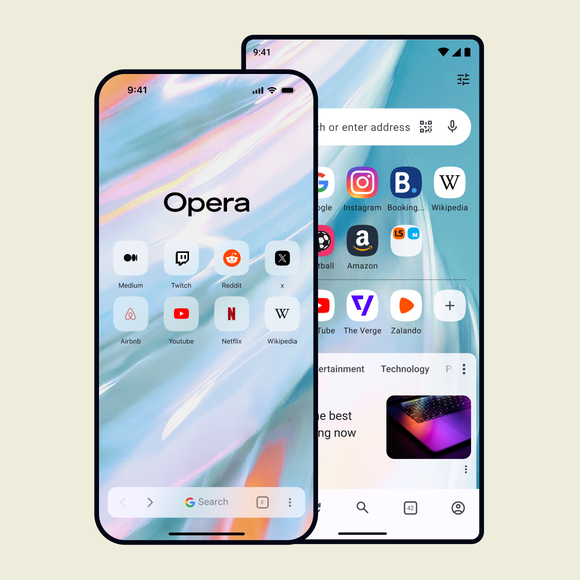
Turn your next tab into a new beginning with Opera browser. Block distractions, stay in flow, and move between contexts without losing your momentum. See more
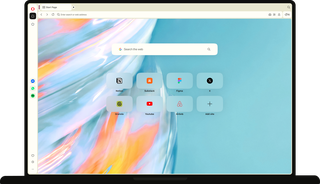
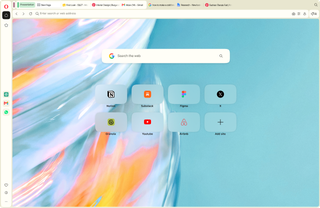
Opera browser with open Start page.

Keep momentum, make progress

Get to the doing part

Tab Islands automatically group your tabs by what you’re doing, and one-click tools keep everything else out of your way so you spend less time organizing.

Stay locked in

Opera One blocks ads and trackers, and keeps pages loading clean and fast so nothing breaks your concentration while you work.

Woman in a red beanie working on a laptop with Block Ads and Block Trackers switched on in Privacy Protection.

Change between contexts

Sidebar and Workspaces keep each part of your life separate. Move between a focused work session, a team conversation, and a completely different project without ever losing your place.

Every beginning looks a little different

When an idea hits and you’re starting from scratch

Strike while it’s hot. Tabs automatically group together, your tools live in the sidebar, and the Ad Blocker keeps pages clean, so nothing gets in the way.

When you sit down to dig into something

You want to go deep on research, so you need the right setup from the start. Split Screen lets you compare sources side by side, and Opera AI can pull out the key points from the page when you turn on Page Context.

When you need to shut everything else out

Your Theme’s set the way you like it, your music’s already playing from the sidebar Music Player, and the page in front of you is clean. Nothing between you and the work.

Man in headphones typing on a laptop while a Spotify playlist plays from the Music Player in Opera.

When you’re just following your curiosity

Some beginnings don't have a destination, just something worth a look. Free VPN keeps that exploring private, and Lucid Mode and Volume Booster make sure whatever you land on looks and sounds its best.

Woman lying on a green sofa browsing on a laptop, with a Safe Browsing VPN prompt beside her.

When you're picking up where you left off

Open Opera and dive back in. Session restore brings your tabs back automatically and cross-device sync keeps your browsing with you, so nothing you started gets lost along the way.

Ready when you are

However many tabs you open, Opera One keeps them organized.
Group them, separate them, switch between them, and compare them side by side, without ever losing track.

Workspaces in the Opera sidebar, with a Photoshoot workspace open on a Pinterest board of fashion photos.

Workspaces

Workspaces carve out a dedicated space for every new pursuit, keeping each part of your life separate and thriving.

Tab Emojis adding heart, plane and smiley icons to tabs, with Tab Traces highlighting recently visited ones.

Tab Emojis & Traces

Tab Emojis let you mark your most important tabs so they're easy to spot, and Tab Traces keeps your most recently visited ones close by, so you can always find your way back.

Tab Islands menu renaming a Shopping island and choosing its color, next to a Presentation island.

Tab Islands

In Tab Islands, your tabs are automatically grouped by context.

Split Screen showing a research article and a document side by side, with Vertical Tabs grouped into islands.

Split Screen and Vertical Tabs

Vertical Tabs move your tabs to the side so you can see full titles, and Split Screen lets you compare up to four of them at once.

Nothing gets in the way of what you came to do.

Ads and trackers are blocked before they load and Free VPN keeps your connection protected, so pages open clean and fast, up to 90% faster.

Ad Blocker stopping a video ad, with a pop-up showing "5 ads blocked on this page".

Ad Blocker

Opera One’s free, built-in Ad Blocker blocks ads before they load, clearing your path from distractions.

Woman on a sofa browsing on a laptop while Free VPN shows "Protected" status with an Americas location.

Free VPN

Free VPN is already built in, so wherever inspiration takes you, your connection's protected.

Video Skip controls over a playing video ad, with the skip button ready to jump straight to the content.

Video Skip

Video Skip jumps straight to the content you care about. Just hover over any video and tap the button to skip what you don't want to see.

Reach for the tools you need in the Sidebar

Now you don't have to leave the page, open new or extra tabs, or even reach for your phone

Google Calendar open in the Opera sidebar, with Gmail and Google Translate shortcuts ready alongside.

Google services

Gmail, Calendar, and Google Translate are already built into the sidebar, so you never miss an important email or meeting while you're deep in your work.

Music Player in the Opera sidebar playing a song, with play and skip controls over the Start page.

Music Player

Music Player puts Spotify, Apple Music, YouTube Music, and more right in your sidebar. Hit play, and control your tracks as you work.

Opera AI panel with page access enabled, next to ChatGPT and Gemini shortcuts in the browser.

AI tools

Opera AI, ChatGPT, and Gemini are one click away, so whenever you have a or you need to check a data point, you're not opening another tab or losing your train of thought.

WhatsApp chat open in the Opera sidebar next to the page, with Messenger also available.

Integrated Messengers

WhatsApp, Slack, Discord, and other messengers and social apps are built into the sidebar, so every conversation and community opens alongside what you're doing.

Pick up on one device exactly where you left off on another

What’s open on your laptop is waiting on your phone, and back again, without breaking your flow.

Sync moving open shopping tabs from Opera on a laptop to the tab overview on a phone.

Sync

Opera Sync shares your open tabs, browsing history, bookmarks, and favorites across your laptop and phone, so you can switch between devices without losing momentum.

Flow sharing notes, an image file and a link between Opera on a phone and on a computer.

Flow

Opera Flow lets you securely share files, links, and notes between your computer and phone, no account needed, so you never lose the idea that hit you on the go.

Turn a beginning into something

Turn a beginning into something

Tab Islands

Group related tabs to save space and switch contexts easily.

Ad Blocker

Block ads and browse the web with fewer interruptions.

Free VPN

Browse with added privacy using Opera’s built-in VPN.

Opera AI

Chat, create, and analyze tab content with built-in AI assistant.

Workspaces

Organize tabs into separate spaces for different tasks.

Integrated messengers

Chat on WhatsApp, Messenger, and more from Opera’s sidebar.

Split Screen

View multiple pages side by side to multitask and compare.

Vertical Tabs

See page titles clearly and find the tabs you need.

Search in Tabs

Search your open tabs by keyword to find the one you need.

Tab Emojis

Personalize your tabs with emojis for easy recognition.

Easy Files

Upload recently downloaded files without searching.

Browser AI

Support your work with built-in Opera AI, ChatGPT, and Gemini.

AI Image Generator

Create stunning AI images from text prompts for free.

Integrated Social Media

Get instant access to X, TikTok, Bluesky, Twitch, and Instagram.

Translate in Opera

Translate entire pages or selected text with one click or automatically.

Google Services

Keep Gemini, Gmail, Calendar and Google Translate close at hand.

WhatsApp

Bring WhatsApp to your computer.

Slack in Opera

Stay on top of team conversations without leaving your workspace.

Messenger

Stay in touch with friends without interrupting what you’re doing.

Discord in Opera

Stay connected with your Discord communities in Opera’s sidebar.

Telegram Messenger

Chat in Telegram on desktop in the Opera browser.

Instagram

Check DMs, catch up on stories, and watch reels in the sidebar.

X

Follow breaking conversations and trending tweets faster.

Bluesky in Opera

Discover new voices and communities right from your sidebar.

TikTok in Opera

Watch your feed and upload videos without opening another tab.

Music Player

Access your favorite music and podcasts from Opera’s sidebar.

Spotify

Access Spotify playlists and control playback as you browse.

Deezer

Stream your favorite Deezer tracks without interrupting your browsing.

YouTube

Enjoy your favorite YouTube videos right from Opera’s sidebar.

Video Popout

Watch videos in a floating window while you browse other tabs.

Lucid Mode

Enhance online videos and images in one click.

Volume Booster

Increase your browser volume by up to 500% natively.

Opera VPNs

Browse with an extra layer of privacy using Opera’s built-in VPN.

Personal News

A customizable and convenient newsfeed on your start page.

Opera Themes

Completely transform the look, sound and feel of your browser.

Battery Saver

Browse longer on your laptop with less battery drain.

VPN Pro

Get enhanced privacy for your entire device with 48 VPN locations.

Unit Converter

Convert currencies, time zones, and measurements in one click.

Snapshot

Capture, edit and share snapshots of webpages.

Opera Bookmarks

Save your favorite websites for quick and easy access.

Opera Sync

Sync your open tabs, bookmarks, history, and more across devices.

Flow

Send files, links, and notes between your devices instantly.

Pinboards

Collect visual web content and share your favorite finds.
01

Ready for something new?

Start your next idea with Opera
Ready for something new?