Force Dark Pages

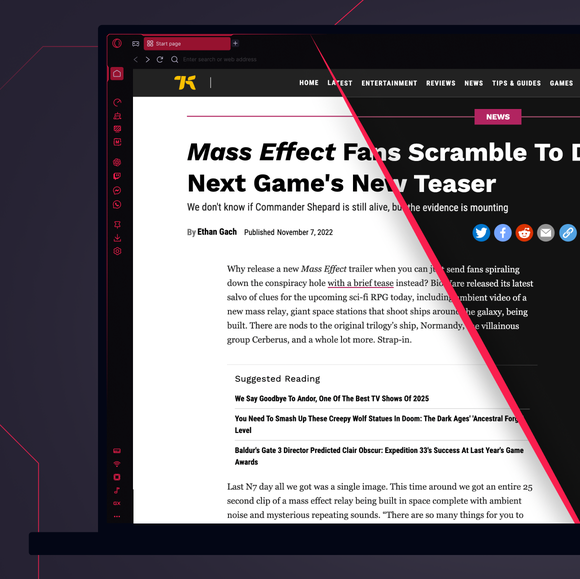
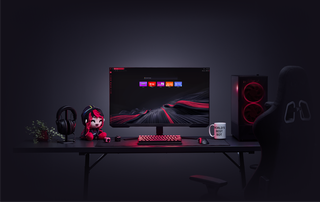
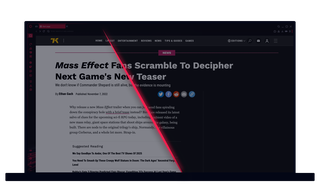
Don’t get flashbanged by bright webpages again. Activate Force Dark Pages in Opera GX and see all pages in dark mode. Побачити більше
Force Dark Pages Force Dark Pages

Force Dark Pages in GX

Embrace the dark side with Force Dark Pages. Because who needs all that brightness in their life anyway?

Night browsing 24/7

Stealthily surf the web without blinding yourself. Perfect for 4am gaming sessions or midnight Discord convos.

Dark is the new black

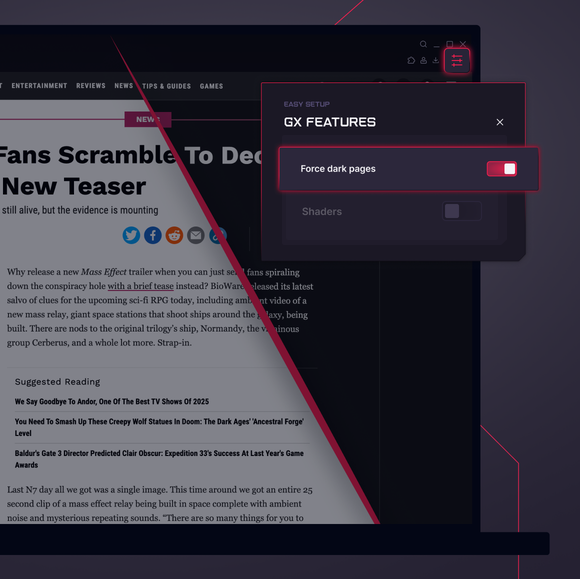
Set Force Dark Pages for all sites, or a custom list. Just toggle it on in GX Settings or the Easy Setup panel.

Flashbangs be gone

This dark mode reduces blue light and makes your browsing easier on the eyes – especially in low light.

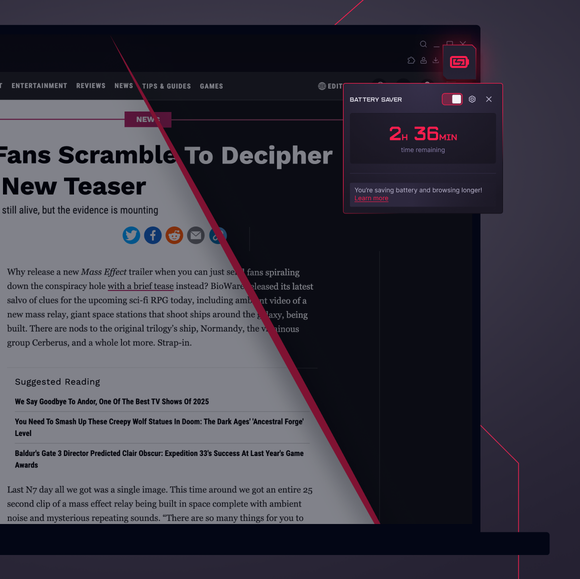
Your battery says thanks

Force Dark Pages means less power usage, so you can extend your battery life and game longer without the plug.

01

GX Control

Boost frames, not fan speed, with CPU and RAM limiters.

GX Mods

Completely customize your GX browser.

Integrated Twitch

Stream on. Twitch lives right in Opera GX.

Integrated Discord

Stay connected to your squad at all times.

Ad Blocker

Your time is epic. Get to the stuff that matters, quicker.

Snapshot

Frame it, capture it, and move on easily.

YouTube Music

Саундтрек до всього, що відбувається на екрані.

Музичний плеєр

Вся ваша улюблена музика та подкасти в одному місці.

Apple Music

Listen to your favorite tracks while you browse.

Spotify

Fuel your browsing with your favorite tunes.

Deezer

Music right where you work (and play).

Tidal

Find your sound. Get inspired with Tidal.

Звуки клавіатури

Кастомні звуки клавіатури на кожен дотик.

GX Corner

Games, releases, news and deals in your corner.

Блюскі

Bluesky у вашому браузері Opera GX.

Слабкий

Менше перемикань. Більше робити. Розслабтеся в GX зараз.

Посланець

DM залишаються відкритими, поки ви зосереджуєтесь на іншому.

Телеграма

Переходьте в ДМ, не виходячи з гри.

Browser Profiles

Profiles of each of your personalities.

X у браузері

Твітуйте під час матчу, без перемикання вкладок.

Посланці

Граємо, спілкуємося! Говоріть, не відриваючись.

Video Popout

Watch in a floating video window while you browse.

Bookmarks

Your favorite spots, remembered and ready.

WhatsApp

Підтримуйте розмову під час перегляду.

Instagram

Прокручуйте барабани та публікації, не пропускаючи жодного удару.

ВКонтакте

Спілкуйтеся у VK під час гри, перегляду або стрімінгу.

TikTok

Користуйтеся Tiktoks під час гри, редагування або перегляду.

Pinboards

Pin it, plot it, post it. Grab and stash your gems.

Агрегатор ігрових знижок

Швидко отримуйте знижки на найкращі ігри прямо там, де ви граєте.

Release Calendar

Never miss out on new game drops.

Split Screen

Double the view, half the mess in GX.

Tabs

Group and control your tabs with zero tabxiety.

Безкоштовна VPN для Mac

Переглядайте приватні сторінки на пристроях Mac з GX.

Безкоштовна VPN для Windows

Переглядайте приватну інформацію в Windows за допомогою Free VPN.

Browser Games

Turn your browser into your playground.

Game Trailers

See upcoming games, straight from the source.

Custom Cursors

Make every click unmistakably yours.

Острови Таб

Перевантаження табуляції? Домінуйте над ним за допомогою Tab Islands.

Opera Translate

Прочитайте будь-який сайт вашою мовою.

Вкладка Емодзі

Додайте трохи особистого стилю до ваших вкладок.

Personal News

Get important news right in your sidebar.

GX Network Limiter

Control your GX browser’s bandwidth.

Live Wallpapers

Ditch the dull. Inject some life into your desktop.

Shaders

Apply visual filters across all websites.

Background Music

Silence is boring. Dynamic music adapts to you.

Fake My History

Replace your guilty pleasures with wholesomeness.

RGX Mode

Free your eyes from mediocrity with HD visuals.

Panic Button

F12 to purge. Keep your secrets in one click.

Battery Saver

You’ve got the power. Opera GX extends your battery life.

Workspaces

Tab groups. Switch between different contexts in a jiffy.

Flow

Діліться файлами, посиланнями та думками на всіх пристроях.

GX Cleaner

Exchange your browser’s rubbish for speed.

Безкоштовний VPN

Конфіденційність без компромісів, без жодних зобов'язань.
01

How do I turn on Force Dark Pages in Opera GX?

To enable Force Dark Pages in Opera GX, click on the Easy Setup button in the top right corner of the browser. Scroll down to Features and toggle on Force dark pages.

You can also go to your browser Settings (Alt+P) and toggle on Force dark pages there, which applies a dark theme to all websites you visit.

How do I turn off Force Dark Pages in Opera GX?

To disable Force Dark Pages, click on the Easy Setup button, scroll down to Features and toggle off Force dark pages. This will return websites to their default appearance.

Is dark mode better for your eyes?

Dark mode reduces eye strain, particularly in dimly lit environments, by decreasing the amount of blue light emitted from your screen. This makes late-night browsing more comfortable, although the benefits vary depending on your lighting and settings.

How do I force dark mode on any webpage?

To force dark mode on all websites, open your Opera GX browser and click on the Easy Setup button in the top right. Scroll down to GX Features and toggle on Force dark pages. This will apply a dark theme to all websites, even those that do not natively support it.

Click the button next to the toggle to open further settings, and enable or disable the Force Dark Pages feature for any specific sites.

Ви заслуговуєте на кращий браузер

Безкоштовний VPN, блокувальник реклами та передача файлів через Flow в Opera — це лише деякі з необхідних функцій, вбудованих у браузер для швидшого, плавнішого і безперешкодного перегляду, що покращує ваш досвід в інтернеті.
Ви заслуговуєте на кращий браузер Ви заслуговуєте на кращий браузер