How many tokens is your browser agent burning?
How Opera browser CLI compresses browser snapshots to save tokens
The first successful browser-agent run is dangerous. It makes you want to automate everything.
The first clean run
You watch the agent open a page, find the right controls, move through the workflow, and the agent gives back to you exactly what you asked for. Now, something that used to eat up so much of your time happens in seconds, without you.
Then you open the logs
The agent has burned through an absurd amount of context to complete what looked like a pretty ordinary browser task. Not because the reasoning was unusually difficult or the final answer was particularly long. Just because so much of it was spent looking at the web.
The same clutter, every single time
We kept noticing the same thing in our own browser-agent runs: the model was being fed the same accessibility-tree clutter again and again, even when almost none of it had changed.
So, we asked:
How much of a browser snapshot actually helps the agent make its next move? How much is dead weight?
Why AI Browser Agents use so many tokens
When you need to get the gist of something from a dense webpage, you skim and look for the words and details that matter.
A browser agent doesn’t have that luxury. It receives the whole page translated into text: the buttons, navigation, repeated links, attributes, empty nodes, and everything else hanging around.
To make sense of it, the agent reads an accessibility-tree snapshot: a structured text description of the page’s headings, links, buttons, form fields, and all other interactive elements.
Opera Browser CLI captures that snapshot and gives each usable element a short reference the agent can use to click, type, or take its next action.
The loop is pretty straightforward:
- Capture the page.
- Send the snapshot to the model.
- Let the model choose an action.
- Carry out the action.
- Capture the updated page.
- Repeat.
The key word here is repeat.
A single snapshot can waste time processing more than 100,000 tokens (the chunks of text a model has to process), and every snapshot takes up part of its available context.
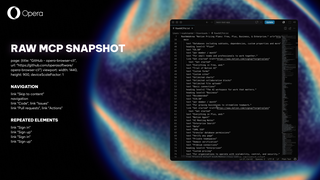
The model isn’t just using tokens to think through the task. It burns through them getting reacquainted after every single move.
That might not matter much in a one-off demo. But when a workflow runs every hour, scans hundreds of pages, or operates inside a session limit, it does add up quickly.
A browser workflow checking one page once can afford to be inefficient. But not when you need it to scan 400 times before your lunch break.
Most of the snapshot isn’t load-bearing
Some of it really is essential. The agent needs to know there’s a button, what it says, and which reference to use when it wants to click it.
But raw snapshots also come with plenty of stuff the agent doesn’t need: long role names, attributes the role already makes obvious, empty nodes, repeated boilerplate, and the same full URLs showing up again and again.
None of that looks especially wasteful when it’s on its own, which is why it’s so easy to overlook. But spread it across an entire page, then generate another snapshot after every click, and the agent starts carrying too much weight.
The model isn’t lacking information. It’s being made to reread the same useless details over and over again.
It doesn’t need a guided tour of the whole building every time it wants to open a door. It just needs to know where the door is.
Related articles


You deserve a better browser
Press Contacts!
Our press team loves working with journalists from around the world. If you’re a member of the media and would like to talk, please get in touch with us by sending an email to one of our team members or to press-team@opera.com