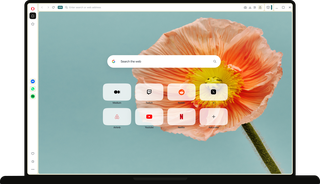
Best browser for students
A browser for every part of your student life

Move forward with your studies smoothly

Readings, research, lecture notes, files, deadlines, and group work can quickly pile up.
The Opera browser keeps your study flow moving by organizing tabs by subject, supporting group work, assisting with research and writing, and cutting noise from your study space.

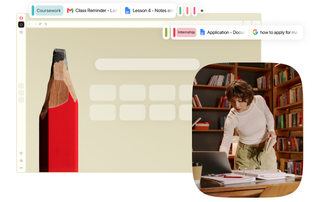
Give every subject its own space
Studying multiple subjects means keeping different research, assignments and exam prep in order.
Tab Islands in Opera groups related pages together, so each subject has a place of its own. For example, your research on English kings stays separate from Newtonian dynamics, so you always know where to look.

Read, compare, and write side by side.
Working with multiple sources can make one window feel too small.
Opera’s Split Screen gives you more room without a second monitor, keeping research next to your essay or a tutorial next to your code.

Keep your study group nearby
Group work can pull you out of focus, especially when every message sends you back to your phone.
Opera’s integrated Messengers keep WhatsApp, Discord, and more in the sidebar, so you can coordinate with classmates without leaving your study flow.

Study with help built right in
Research, assignments, and projects can leave you with a lot of information to take in.
Opera AI can summarize research and scientific articles within your tab groups, help with academic formatting, refine your writing, and solve math problems.

Start with a cleaner study space
Watching a history lecture or following a scientific experiment? The last thing you need is an ad getting in the way.
Opera’s built-in Ad Blocker and tracker blocker remove distracting ads and pop-ups for a cleaner study space, all for free.
Make room for life beyond the classroom

The best parts of student life are often extracurricular: a dream internship, a side gig, a hobby, a trip, or a new habit.
Opera keeps these new beginnings from getting buried under study tabs and busy days, helping you switch between projects and keep ideas moving on the go.

Keep ideas going wherever you are
Found something on your phone or had an idea on your commute?
Use Opera’s Flow to send links, notes, images, and files between mobile and desktop, ready to pick up when you’re back at your desk.

Make space for what’s beyond class
Studies can sometimes leave little room for everything else.
Workspaces in Opera carve out dedicated space for your personal projects, so your next idea, opportunity, or plan can grow alongside your studies. Switch between contexts and pick up where you left off without rebuilding your setup.

Feel safer wherever you connect
Using public WiFi at your dorm, library, or campus café?
Opera’s built-in Free VPN adds an extra layer of privacy for your personal details, so you can focus on your projects with more peace of mind. No account needed, ready in one tap.
Recharge and get ready for what’s next

After a full day of studying, working and planning, it’s time to switch off.
Opera makes the switch to streaming and listening smoother, so you can take a break before your next move.

Keep your soundtrack close
Whether you’re recharging, learning something new, or working on a personal project, the right playlist helps.
Opera’s built-in Music Player keeps Spotify, YouTube, Apple Music, Deezer, SoundCloud, and Tidal within reach, with floating popout controls to pause, skip, or switch tracks without reaching for your phone.

Stay with the story
It’s easier to get lost in the story when nothing pulls you out of the moment. Opera keeps your videos sharp, audio crisp, and distractions out of the way.
Skip ads with Ad Blocker, ease your eyes with Dark Themes, and turn up the sound to 500% with Volume Booster.
Why students prefer the Opera browser

“the best of all browsers out there, it helped me to study, and much more is simply incredible”
Opera user from Brazil

"I like Split Screen because it's really helpful when you're working on the same subject with different sources"
Opera user from USA

“I love your browser! It gives me a complete working environment for the internet in an efficient and versatile way. Workspaces is my thing and makes Opera stand out compared to the other browsers”
Opera user from UK
Some ideas begin away from your desk
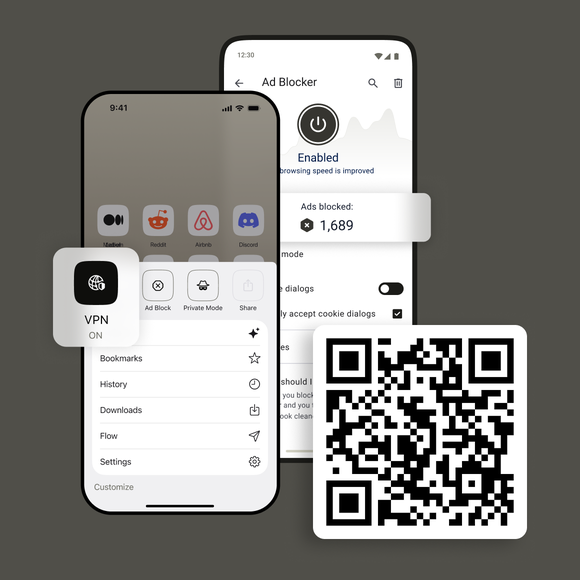
Download Opera for mobile


What are the most useful browser features for students?
Opera helps students study smarter with built-in tools for research, writing, problem-solving, and more.
Opera AI can summarize assignments and YouTube videos, explain complex topics, analyze files and images, and help solve problems right in your browser. Tab Islands, Split Screen, and Workspaces keep research and projects organized, while built-in Messengers and translation tools make collaboration easier. Music Player, Video Popout, Ad Blocker, and Free VPN round out your setup for smoother, more focused studying.
Are Opera features free?
Yes. Opera offers free access to features like Opera AI, ChatGPT, built-in Ad Blocker, and Free VPN, with no hidden fees or subscriptions required.
Will these features stay free if I continue using Opera?
Yes. Opera is committed to providing these tools at no cost, so you can keep enjoying all the benefits without worrying about charges down the line.
How does Opera protect my privacy and data?
Opera takes your privacy seriously. Your data isn’t tracked or sold. The browser comes with strong security features including encrypted connections, cryptomining protection, and safe browsing technology to keep your information safe and your browsing experience secure.
Is Opera easy to set up for students who aren’t tech-savvy?
Definitely. Opera is designed with simplicity in mind. Whether you’re new to browsers or a tech pro, you’ll find it easy to install and start using right away.
Start your next study session in Opera