Instagram in Opera
Make room for inspiration
People and trends close by
Keep up with friends, creators, and the latest trends without reaching for your phone.
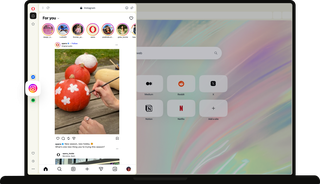
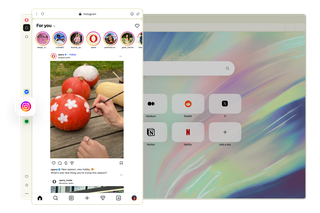
In Opera, your Instagram feed stays right alongside the pages you're browsing.

From posts to plans
Spot something you like on Instagram? Explore it right away.
Use Instagram while you build moodboards, compare options, and complete your project in the browser window.

Only notifications you want
Get a visual alert when someone messages you or interacts with your posts.
Turn notifications off whenever you would rather focus on something else.

Manage your community and customers
A client asks about your services in a DM. You check your calendar, find a suitable time, and reply. All without leaving your current tab.
Open your Instagram messages in Opera’s sidebar to stay on top of enquiries, connect with your audience, and keep in touch with your community.

Find ideas and put them to use
See something on Instagram that you'd like to try, recreate, or learn more about? Save it to an Instagram Collection to keep your ideas in one place.
Your visual references stay right in the sidebar as you compare options, gather materials, and bring it all together in your Opera tabs.

Keep your community close while you work
Big goals are easier to reach when you have support in view.
Stream inspiring Instagram creators, follow discussions, or check in with friends alongside your daily tasks, keeping steady encouragement in parallel with what you do.


Get inspired with Instagram in Opera
Ready to start something new?