Opera Mini works on practically any mobile phone. To get the best browser for your phone, simply visit the address m.opera.com/ using your phones default Web browser. We will automatically detect which browser we think is best for your phone.
2Prior to this release, we upgraded our servers and Opera Mini now receives your requested Web pages up to 50% faster. So you can now access sites like Facebook, BBC, and any of your other favorite Web sites even faster, with desktop-like speeds.
The new Opera Mini lets you search for text within a Web page so you can get to the information you need even quicker than before.
On phones with JSR-75, Opera Mini lets you save pages for offline viewing so you can quickly access and read your desired Web content, even when you’re on a plane, in the subway, or in other places where you can’t get network reception. Depending on your phone, you may need to choose a destination folder for storing pages for offline viewing
Opera Mini gives your phone a virtual mouse, so you can easily scroll in any direction. Move the mouse cursor towards what you want, and then it quickly snaps your view to the link or content.
We support Web designers who want to make their Web sites look even better to those browsing with Opera Mini. In Opera Mini, we have included all of the CSS support that Web designers need to make their Web pages look pixel perfect on in the mobile Web world.
Opera Mini 4.2 can use our newly established server park in the US. This means significantly faster page downloads for our users in the Americas and Asia-Pacific region. Users in the rest of the world will also experience faster page downloads since we’ve reduced the load on our other servers.
The handy Notes functionality from the Opera Desktop Web browser just got more portable through Opera Link. All of your notes are available in Opera Mini directly from the Bookmarks menu.
When typing Web addresses, Opera Mini will recognize and suggest completions for you based on your Bookmarks and browsing history, making address input faster, easier and much more intuitive.
Scroll at warp speed using your phone keypad. Find your way around on the Web pages quicker by using your phone’s number keys. Press 2 to go up, 4 to go left, 6 to go right and 8 to go down. Hitting 5 zooms you in and out.
3Opera Mini features Opera Link, which allows you to synchronize your bookmarks and Speed Dial with a computer running Opera 9.50 or other mobile device running Opera Mini.
On phones with JSR-75, you can now upload and download files using Opera Mini, without being re-routed to your phone’s native browser. Update your blog while on the go. Upload photos to your Web site or social network. Add attachments easily to Web-based email, and download other non media-rich content to your phone using Opera Mini.
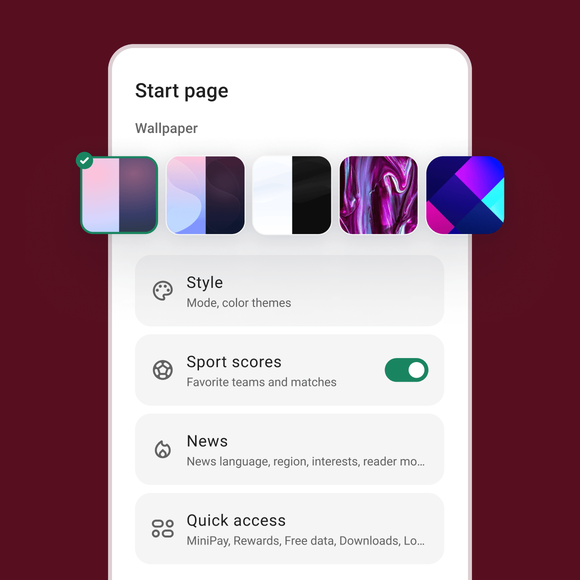
1Personalize Opera Mini by choosing a new colorful skin. We have reintroduced the popular skinning feature from Opera Mini 3.
We are working to make video content available on more phones through Opera Mini. If you have a new Sony Ericsson or Nokia phone, the chance is high that you can take Opera Mini for a spin on m.youtube.com.
When visiting a Web page, Opera Mini displays the overview of the page and suggests where to begin your reading.
To view the Web on a wider screen, just hit * # and flip your phone to the side to enjoy browsing in Landscape mode. Change your default view to landscape by turning “Landscape mode” on inside the Settings menu.
Just like in Opera for your computer, you can create your own Web search from any search field on the Internet using Opera Mini. Simply click on the search field that you want to grab on a Web page and then choose “Create search” within your menu alternatives. Then you can enjoy making frequent searches without having to type in the site link again.
Opera Mini is built for speed. Web pages are compressed by up to 90% of its original size for speed, saving your time & money.